Versioning
New versions appear quickly in daily work. A file gets revised, uploaded again later, or dropped into the inbox as an updated copy. Without clear versioning, similar documents quickly pile up.
SimpleDMS keeps these versions attached to the existing document. In the «Versions» tab, you upload new versions directly. If an updated file is already in the inbox, you can assign that same file as the next version. This keeps the context in one place and shows which version is current.
Typical update chaos around «final» files
Multiple versions create uncertainty quickly. One file is named «final», then «final-new» appears, and soon no one is sure which version should be used.
This happens easily when documents arrive through different paths. One person keeps working with the existing document while another puts an updated file into the inbox. Older versions may still exist, but they are not clearly linked to the current document.
New versions stay on the same document
SimpleDMS treats a new file as a version of the existing document, not as a loose copy. In the «Versions» tab, you see the history and add the next version there.
If the updated file is already in the inbox, you can use that file directly as the next version. This keeps the relationship intact without creating a second document.
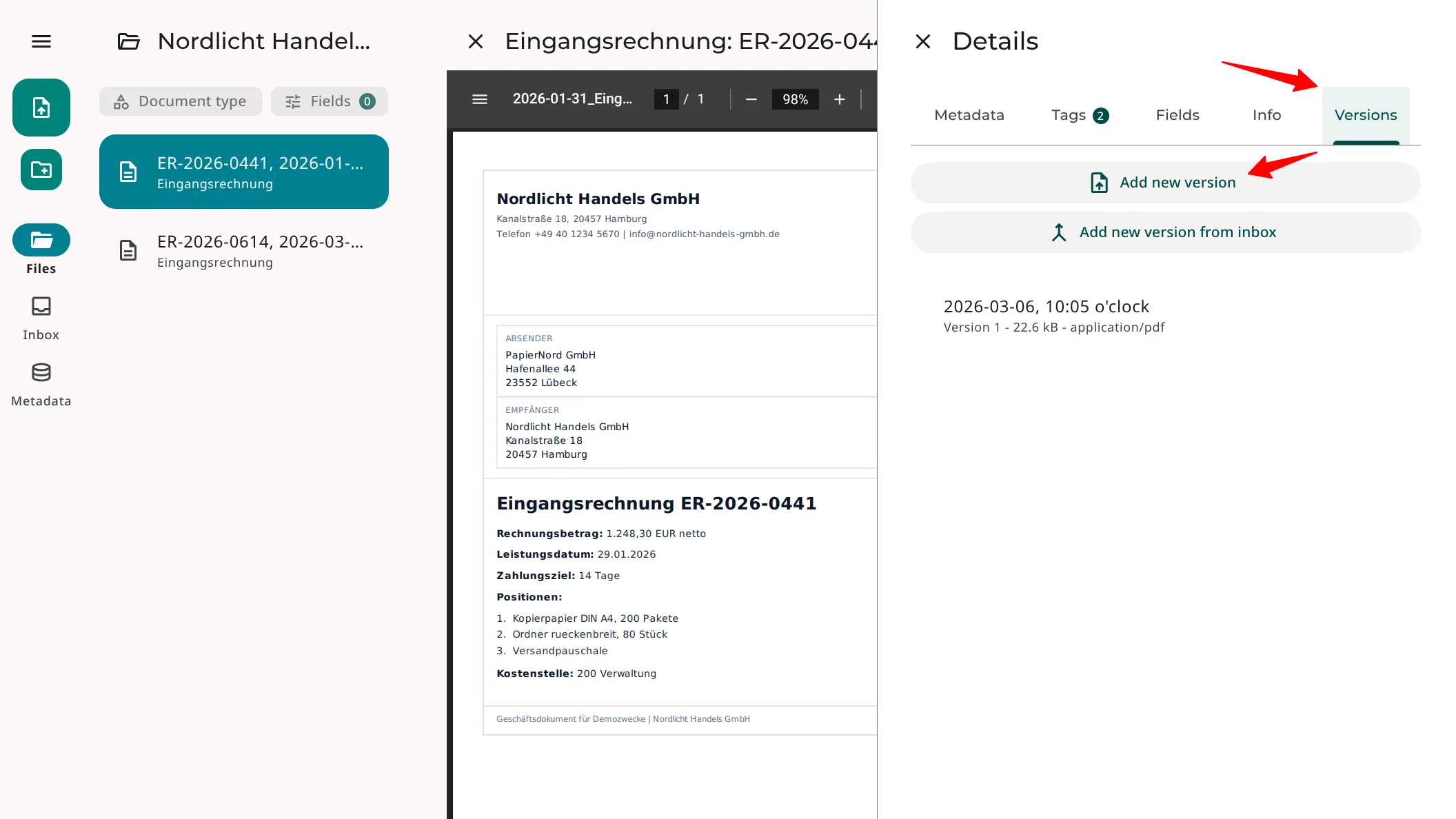
Current version & visible history
Versioning makes the shared document collection more reliable. It is clearer which file belongs to the existing document and which older versions remain available.
This reduces questions around «current» and «old». At the same time, the history remains traceable when an earlier version needs to be checked again later.
How to work with versions in SimpleDMS
Open the existing document and switch to the «Versions» tab. Upload the updated file there.
Alternatively, add an updated file from the inbox as a new version. SimpleDMS assigns it to the existing document. The history stays visible on the document, and older versions remain available.
More information